maimai Controller Buying Checklist: 7 Things to Check Before You Order
A home maimai controller is a serious purchase. Prices for a full-size unit typically run from a few hundred dollars for a compact or DIY build to well over $1,000 for a full-size cabinet-style controller — and international shipping can add hundreds more. Before you send a deposit, run through this checklist. It covers the seven things that most often surprise first-time buyers.
1. The touch panel: how the zones are made
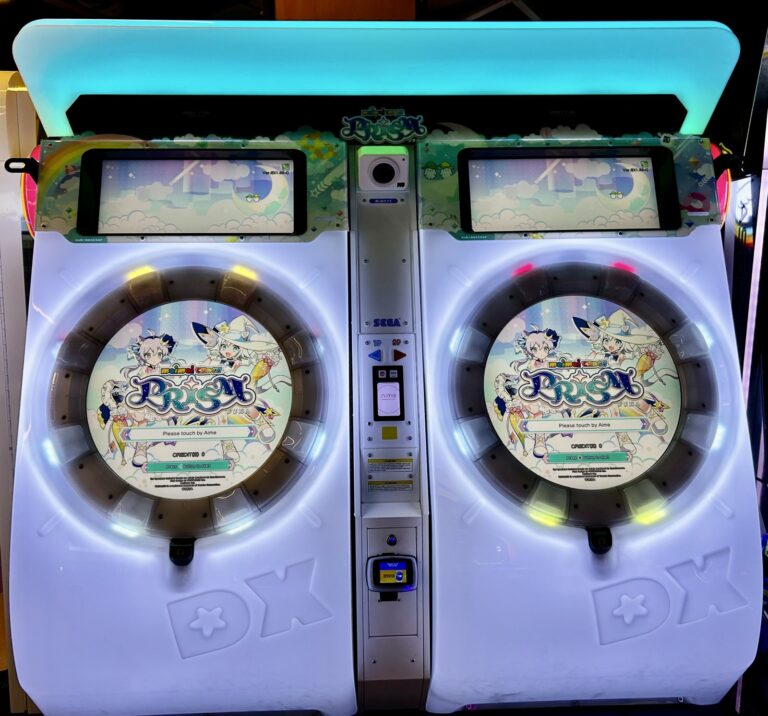
The touch panel is the heart of the controller and the most expensive single part. The official maimai cabinet uses a zone-based capacitive panel with 34 discrete touch zones (4 sections of 8 zones, plus a 2-zone centre section). Touching a zone registers the whole zone — it is not a continuous phone-style screen.
Home controllers build their panels in two main ways. One is an etched ITO film: the touch electrodes are chemically etched into the zone pattern on a film, then applied to the glass. The other is full lamination: the touch layer is bonded to the glass across the whole surface with no air gap. Both can work well. What matters more than the method is the maker’s quality control: ask whether the panel is burn-in tested before shipping, and how many hours it is tested for. A seller who tests each unit for 12 hours before shipping is a good sign; a seller who ships untested is a risk.
Also ask whether the top diagnostic display is included. Some units show touch-test diagnostics (tap, hold, slide, touch counts) on a small screen mounted on the unit. That display is useful for checking the panel, but it is not always part of the shipped product — confirm it before you assume it is included.
2. The buttons: type, feel, and noise
A full-size maimai controller has 8 ring buttons around the touch panel. Ask what the buttons are made of: injection-moulded keycaps with copper contacts are the common build, and some sellers offer upgrades (crystal buttons, soldered buttons, or brand-name buttons). Buttons are a wear item — ask whether replacements are available individually, and whether they are a standard size you can source yourself.
Noise is a real consideration if you live in an apartment or condo. Arcade buttons click, and tapping the panel adds to it. Some makers offer a noise-dampening treatment as an add-on. Ask how much it costs, whether it can be added to your order, and whether the seller has a sound-test video — a claim without a video is just a claim. A thick rug or mat under the stand also helps, because much of what neighbours hear is the thump transmitted through the floor.
3. The stand: stability and footprint
A full-size controller is a large, heavy object — around 120 cm wide and 20 kg for the panel alone, more once it is crated. Ask how the stand works: is it a bolt-together frame you assemble yourself, or a welded unit? A knock-down stand that ships flat saves a lot on freight. Ask whether the stand needs to be screwed to a desk or floor. A well-built unit is heavy enough to stay put on a flat desk for normal play; a non-slip mat underneath helps for hard play.
Check the footprint too. You need floor or desk space for the controller itself, plus room to stand and play. Measure before you order — a 120 cm-wide controller does not fit everywhere.
4. What is actually included
Read the listing carefully and list what is included and what is not. The most common surprise is the display and the computer. A home setup needs three things: the controller, a Windows PC, and a TV (a 43-inch TV is the usual recommendation). The controller price almost never includes the PC or the TV — you supply those yourself. Confirm whether the TV mount bracket is included (it usually is, and it is the part that lets the TV sit on top of the controller).
Also confirm the small items: the USB cable, the power supply if one is needed, and any card reader. A card reader is often an add-on, not a standard inclusion. If the listing says “free custom skin print” or “free decorative frame,” confirm what that actually covers — a printed skin is a cosmetic extra, not a functional part.
5. Shipping: the cost that doubles the price
For an overseas buyer, shipping is often the largest single extra cost — and the one most often underestimated. A full-size controller ships in a wooden crate and can weigh 50 kg once crated (the crate alone can add 30 kg). Sea freight is cheaper but slow (several weeks); air freight is fast but can cost nearly as much as the controller itself. Oversize fees apply because the panel is over 120 cm long.
Before you order, get the shipping quote in writing: the freight method (sea or air), the chargeable weight, any oversize or inspection fees, and whether the price includes delivery to your door or only to a port or depot. Ask whether the wooden crate carries an IPPC stamp (ISPM 15) — wood packaging entering Canada and the US must be certified, or customs can reject it. And ask about transit damage: who pays if the glass arrives cracked, and whether freight insurance is included.
If you are buying from a maker who offers a parts-only option (panel plus controller board, without the stand and frame), that can cut shipping substantially — the panel ships flat and light, and the stand can be built or bought locally. That is worth asking about if freight is a large share of your total.
6. Deposit and refund terms
Most home controllers are made to order, so sellers take a deposit. Read the deposit terms before you pay. The questions to ask: is the deposit refundable, and until when? Is the balance due only after you have seen a play-test video of your own unit, or is it due before shipping regardless? What happens if the seller cannot deliver — is the deposit refunded in full?
A fair structure, and the one we use, is: a refundable deposit to reserve your slot, with the balance due only after you approve a play-test video of your own unit. The deposit stays refundable until the seller orders your unit. If the terms are “non-refundable after 24 hours” or the balance is due before you have seen the unit work, think twice.
7. Warranty and after-sales support
Ask what the warranty covers and for how long. A 90-day free repair period for product faults is common for workshop-built controllers; some offer a year. Confirm what is excluded (damage in transit is usually a freight-insurance matter, not a warranty matter), who pays return shipping if a repair is needed, and whether replacement parts are shipped free. A seller who can supply individual replacement buttons and panels is much easier to live with than one who only replaces whole units.
Finally, check how you reach the seller after the sale. A seller with a Discord server, a support page, or a responsive chat is a better bet than one who disappears after payment. If the seller is a one-person workshop, that is normal for this market — but make sure there is a working contact channel before you order.
The short version
Before you order a home maimai controller, confirm: the panel type and whether it is burn-in tested; the button type and whether replacements are available; the stand type and whether it needs screwing down; exactly what is included (PC and TV are almost always extra); the full shipping cost in writing, including oversize fees and the IPPC stamp; the deposit refund terms and when the balance is due; and the warranty length and who pays return shipping. Get the answers in writing. A seller who answers all seven clearly is a seller you can trust.
If you are buying in North America, our Garage Ring Controller follows the structure above: a $200 refundable deposit, the $499 balance only after you approve a play-test video of your own unit, and shipping quoted before the balance is due. Our Support page answers the most common questions, and our price guide breaks down the full cost of a home setup.